


ASL Bloom - Sign Language
4.82.78K Reviews
App Specs
- Version
- 1.36.62
- Updated On
- License
- Free
- Downloads
- 500,000+
- Developer
- SignLab
- Categories
- Education
- Platform
- Android
Screenshots
 Analysis by AppCompare
I’d start with ASL Bloom - Sign Language if I wanted a guided introduction to American Sign Language without committing to a classroom schedule. It is an education app from SignLab, and its appeal is the combination of visual lessons, practice, and a flexible pace. I would treat it as a learning aid rather than a shortcut to fluency: seeing signs and reviewing them on a phone can help build familiarity, but real communication also depends on practice with people.
What the free starting point means
The app is free to install, while optional in-app purchases are listed at prices ranging from $18.99 to $98.99 per item. That gives a new learner a way to begin without paying upfront, but it is worth checking what is included in the free experience before deciding whether a purchase makes sense. I would not assume that every lesson or learning tool is free simply because the app itself costs nothing to download.
For me, that distinction matters most when setting expectations. If I were just curious about ASL, I could try the app and see whether its teaching style suits me before spending anything. If I planned to make it part of a regular study routine, I would compare the available paid option with how often I actually use the material. The listed price range is broad, so I would review the exact purchase shown in the app rather than treating the highest or lowest amount as the cost of learning overall.
Getting Started with ASL Bloom
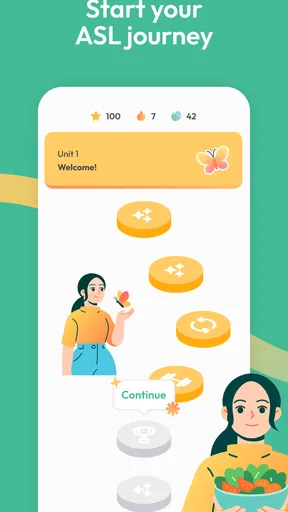
Right off the bat, ASL Bloom welcomes you with a user-friendly interface that makes navigation a breeze. Whether you’re a complete beginner or someone looking to polish up on your skills, the app caters to all levels. I was pleasantly surprised by how intuitive it felt, and I didn’t find myself overwhelmed at all.
The app kicks things off with a basic introduction to ASL, covering essential gestures and expressions. For someone like me who was a total newbie, this was a perfect way to ease in. But don’t let the simplicity fool you; the lessons are structured in a way that keeps you engaged and wanting to learn more.
Features That Stand Out
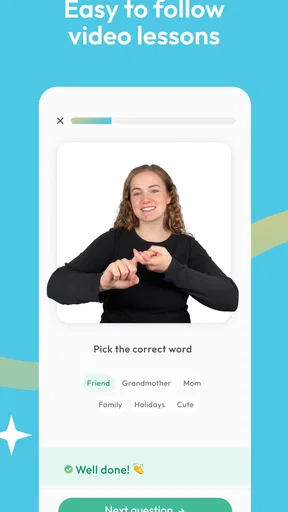
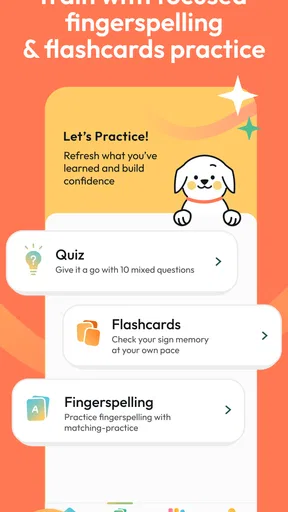
One of the standout features for me was the interactive quizzes. These aren’t your typical run-of-the-mill quizzes. They’re designed to test your knowledge in a fun, engaging manner, making sure you retain what you've learned. I found myself looking forward to these quizzes as a way to challenge myself.
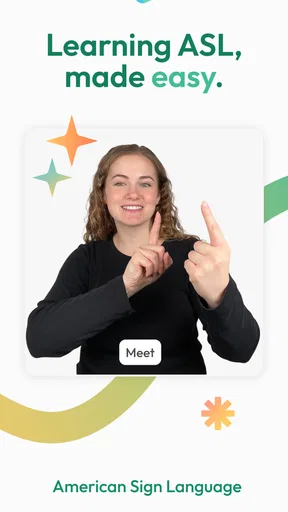
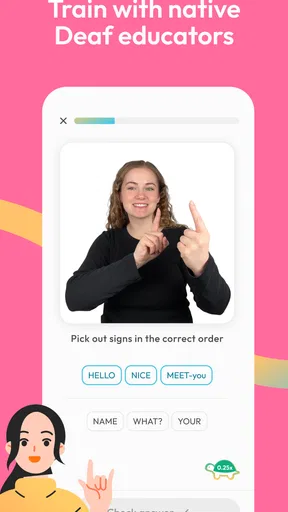
The app also includes video tutorials featuring real people signing. This is a huge plus because you can see the nuances and expressions up close. I found this particularly helpful in understanding the context and emotion behind certain signs, which is crucial in effective communication.
Worth Reading Before You Choose

EA SPORTS FC Mobile 26 Is a Bigger Football Game, but It Takes Time

Flipboard Shows What News Apps Must Do Beyond the Feed

Switching to Android Auto Means Rethinking Your Driving Routine

Google Calendar Makes a Crowded Week Easier to Manage

Ludo King Makes the Most of the Minutes Between Plans

Baby Panda World Brings Quick Play to Modern Phones, but Its Game Library Feels Busy
Learning at Your Own Pace
Another thing I absolutely love about ASL Bloom is that it gives you the freedom to learn at your own pace. There’s no pressure to complete lessons in a certain timeframe. You can take your time with each module, ensuring you grasp the concepts thoroughly before moving on. For someone with a hectic schedule, this flexibility was a lifesaver.
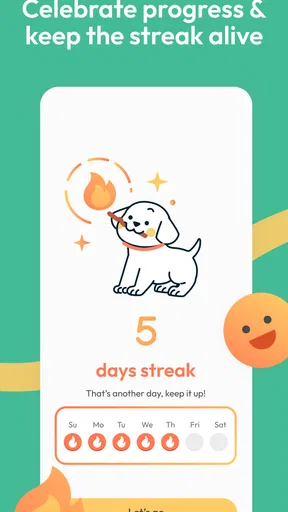
Moreover, the app tracks your progress, so you always know where you stand. It’s motivating to see your advancement charted out, and it pushed me to keep going even on days I felt less inclined to learn.
Using the lessons between study sessions
I get more from a sign-language app when I treat a short session as focused practice, not background browsing. With video tutorials, I can pause on a movement, watch it again, and then try to reproduce it before moving on. That simple loop—watch, imitate, check the lesson, and repeat—makes the screen useful as a visual reference rather than just a stream of content.
A realistic use case is preparing for a visit with an ASL-using friend or relative. I could review a few relevant signs in advance, then use the encounter to listen with my eyes and learn what still feels awkward. I would keep the goal modest: a little preparation can show care, but it is not a substitute for asking someone how they prefer to communicate or for learning from fluent signers.
One practical tip is to practise with enough space to see your hands and upper body, rather than trying to copy signs while holding the phone close to your face. If I am using the app in a public place, I would choose a quiet moment and avoid assuming that a quick glance at a video is enough to learn a sign accurately. The visible shape, movement, and facial expression can all matter, so rushing through a lesson may leave me with a vague impression instead of a usable skill.
Where a phone lesson helps—and where it stops
Compared with a printed glossary, video is a better fit for movement: a still image can show handshape, but it cannot demonstrate the same motion as clearly. Compared with a live class or conversation group, though, an app cannot respond to my signing in real time or correct a misunderstanding as it happens. I see ASL Bloom as a convenient practice companion, especially for beginners, rather than a replacement for interaction with people who use ASL.
That difference affects who should skip it. If I need reliable interpreting, professional-level signing, or immediate feedback for a specific conversation, I would look for qualified human support or a structured class instead of relying on app lessons alone. I would also avoid treating a quiz result as proof that I can hold a conversation: recognizing a taught sign and understanding a signer in a real exchange are different skills.
For a learner who already knows the basics, the value will depend on whether the lessons match what they want to practise. Someone seeking advanced conversation, detailed grammar instruction, or tailored correction may outgrow a general learning app and benefit more from a teacher or a community practice setting. Beginners who want a low-pressure way to get familiar with ASL are more likely to appreciate the approachable format.
Making practice stick in an everyday routine
I would pair short app sessions with a small personal review habit. After a lesson, I can note which signs I keep mixing up, then revisit those videos instead of replaying everything from the beginning. When a quiz exposes a weak spot, that is a useful cue to slow down and repeat the relevant material, not just retake the quiz until the answer looks familiar.
For example, if I have a few minutes before dinner, I can work through one lesson and practise its signs away from the screen, then check the video again to see whether I remembered the movement. A separate review the next day helps me notice what stayed with me. This kind of spaced, deliberate practice is more useful than trying to cram a long session into a busy evening, particularly when I am still learning to distinguish similar-looking signs.
I would also make sure the phone is positioned so the video is easy to see while practising. That sounds small, but repeatedly looking down or losing sight of the signer can interrupt the visual comparison that makes video instruction useful. If I am studying with someone else, taking turns watching and signing can make the session more active, though I would still use a fluent source or teacher when accuracy really matters.
Community and Support
Now, let’s talk about the community aspect, which I found to be a delightful addition. The app connects you with other learners, allowing you to practice and share tips. It’s like having a study buddy without leaving your home. Plus, the support team is responsive and eager to help with any issues or questions you might have.
There’s also a section for feedback and suggestions, which I think is a nice touch. It shows the developers are keen on improving the app and are open to user input.
Who is likely to get the most value?
I think the strongest fit is someone starting from scratch who wants a visual introduction they can return to in spare moments. A family member learning a few basics to make everyday interaction more welcoming could use the lessons as a starting point, while a student might use quizzes to check what they remember after studying. The community element can also help make solitary practice feel less isolated, though I would keep expectations realistic: contact with other learners is not the same as conversation with a fluent ASL signer.
The app is rated for Everyone, and its average rating is 4.7 from around 13,000 ratings, with about 2,400 written reviews. It has been installed over 500,000 times, which suggests that many people have tried it, but popularity alone does not tell me whether its teaching style will fit my needs. I would use the free starting point to judge that for myself. The app was released on June 30, 2022, and version 1.36.24 requires Android 7.0 or later; those details are useful to check against an older device before installing.
Because this is an education app rather than a general dictionary alone, I would approach it with a learning goal in mind: basic vocabulary, visual familiarity, or a regular beginner practice habit. If I only need to look up one sign occasionally, a simple reference may be quicker. If I want a sequence of lessons and a way to revisit material, this app makes more sense. Neither route replaces learning the language in context, but choosing the right tool can keep expectations and effort aligned.
Why You Should Give It a Go
If you’ve ever been curious about learning sign language, ASL Bloom is the app to try. It’s comprehensive, well-structured, and designed with the learner in mind. The mix of video content, quizzes, and community interaction provides a well-rounded learning experience that keeps things interesting and effective.
So, whether you’re looking to learn ASL for personal reasons, to communicate better with friends and family, or to add a valuable skill to your repertoire, this app is worth checking out. It’s like having a personal ASL tutor in your pocket, ready to teach whenever you are.
In a world that’s becoming increasingly connected, learning ASL is not just a skill—it’s a bridge to understanding and communicating with a broader community. And with ASL Bloom, that bridge is just a tap away.
My buy-or-skip take
I would try it if I wanted an approachable way to begin learning ASL, especially if I value being able to revisit video lessons and practise on my own schedule. The free installation lowers the barrier to testing the experience, while the in-app purchase range means I would inspect the specific offer and decide whether its contents fit my routine before paying. I would skip a purchase if I were not using the app consistently or if my main need were expert correction, fluent conversation, or interpreting support.
Overall, I see it as a useful first step and a practical prompt to keep learning, not a complete route to mastery. Used patiently—with attention to movement, expression, and real communication beyond the screen—it can help make beginner practice easier to fit into daily life. If that is what I need, I would give it a try; if I need a teacher’s feedback or advanced instruction, I would choose that alongside or instead.
Pros
- User-friendly interface for beginners.
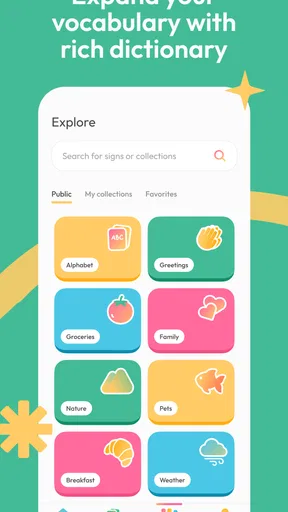
- Comprehensive library of signs.
- Interactive learning exercises.
- Offline access available.
- Regular updates with new content.
Cons
- Limited free content.
- Requires internet for some features.
- No voice-to-sign translation.
- In-app purchases can be costly.
- Some signs lack detailed explanations.
FAQs for ASL Bloom - Sign Language
What is ASL Bloom and how does it work?
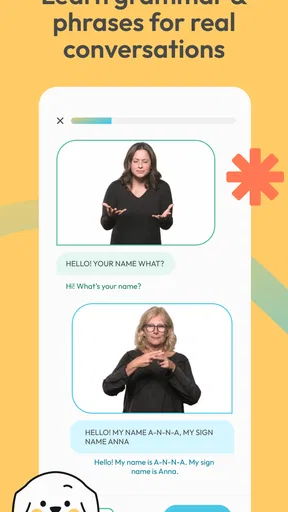
ASL Bloom is an interactive app designed to help users learn American Sign Language (ASL). It offers lessons, quizzes, and video demonstrations to facilitate learning. The app uses engaging visuals and interactive features to teach ASL vocabulary and grammar, making it suitable for beginners and advanced learners alike.
Is ASL Bloom suitable for complete beginners?
Yes, ASL Bloom is perfect for beginners. It starts with foundational lessons that introduce basic ASL signs and phrases. The app gradually increases in complexity, allowing users to build their skills step by step. Interactive exercises help reinforce learning and ensure comprehension.
Does ASL Bloom require an internet connection?
ASL Bloom requires an internet connection for initial download and updates. However, many of its features, such as lessons and practice quizzes, are available offline. This makes it convenient for users to practice and learn ASL anywhere, without needing continuous internet access.
Are there any in-app purchases or subscriptions in ASL Bloom?
ASL Bloom offers both free and premium content. While basic lessons and features are available for free, a subscription is required to access advanced lessons and additional resources. The app provides a variety of subscription plans, allowing users to choose one that fits their learning needs and budget.
Is ASL Bloom available for both Android and iOS devices?
Yes, ASL Bloom is available for download on both Android and iOS platforms. The app can be found on the Google Play Store for Android users and the Apple App Store for iOS users. This cross-platform availability ensures that users can access ASL learning resources regardless of their device preference.


